Indice
- Requirements
- Settings – Installment groups
- Settings – Shop page
- Settings – Show installment button
- Settings – Actions button
- Settings – Desings
- Settings – Mercado Pago
- Settings – Format using Mercado Pago
- Mercado Pago Installment on product page
Requirements
- WooCommerce last version
- WooCommerce Installment Calculator ( free plugin )
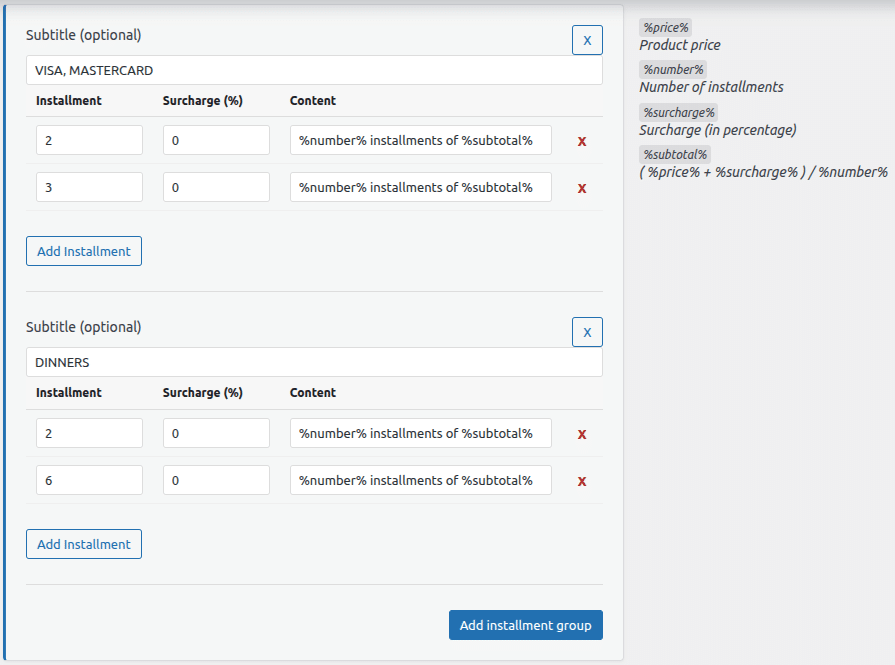
Settings – Installment groups
You can add the installments that your payment gateway offers, and you can group them if needed. You can also add an extra charge and specify how it will appear to the public.
Settings – Shop Page
You can select a quota to be displayed on the product listing (shop page) and also choose the format that will be shown to the public.

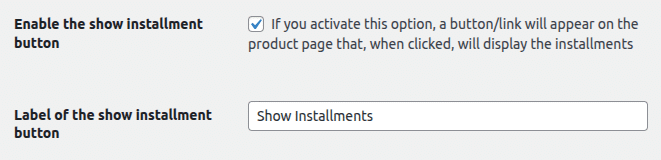
Settings – Show Installment button
You can choose whether the odds will be displayed directly or via a button/link, which, when pressed, will slide and display the odds; you can also specify the text of the button/link.
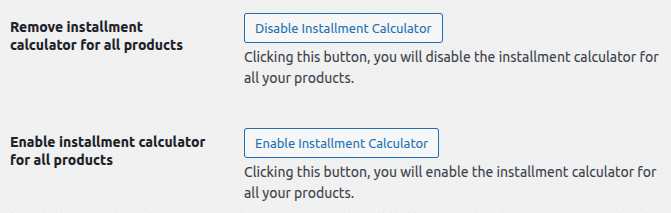
Settings – Actions button
The plugin allows you to activate or deactivate the installment calculator for each product when editing it; however, this option allows you to do it in bulk mode with a single click.
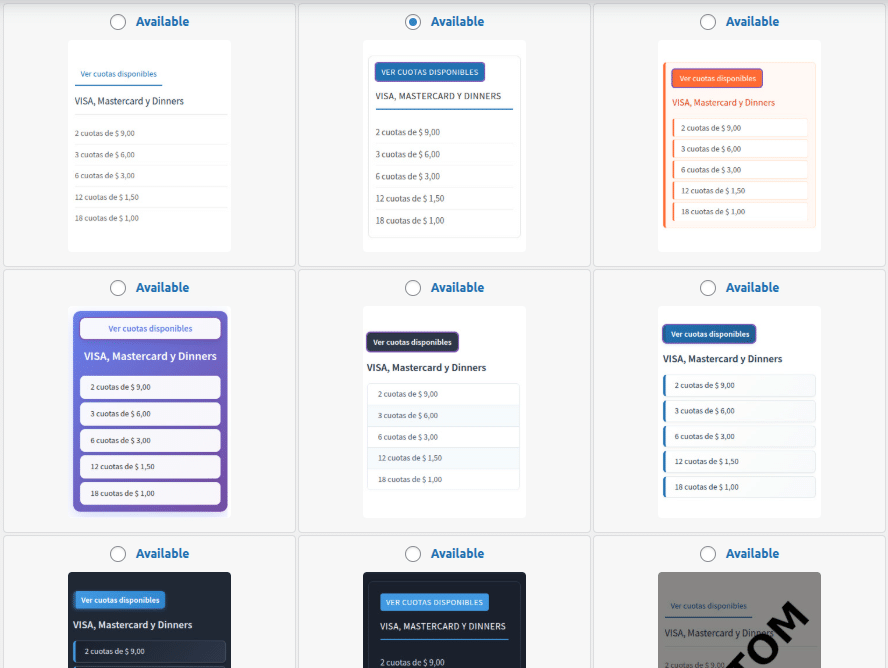
Settings – Designs
You can choose any ready-made design compatible with your theme, or you can choose without any design so you can build your styles yourself.
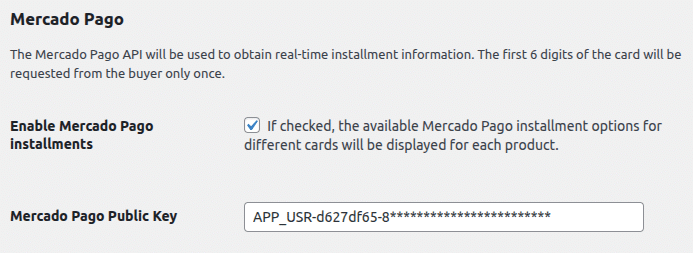
Settings – Mercado Pago
Instead of manually setting installments, you can activate the MercadoPago option. Using their API, we’ll display the available installments customized for each potential buyer. To do this, we’ll ask the buyer for the first six digits of their card (BIN) just once.
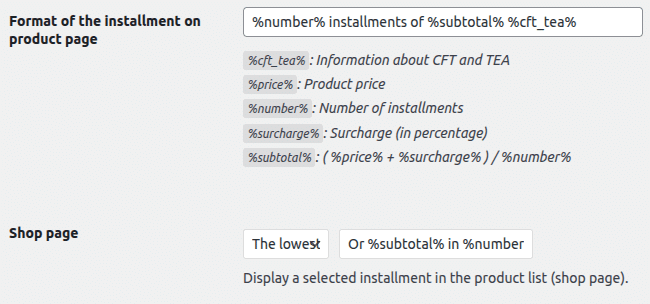
Settings – Format using Mercado Pago
You can specify the format in which Mercado Pago installments will be displayed, both in the product view and in the product listing view.
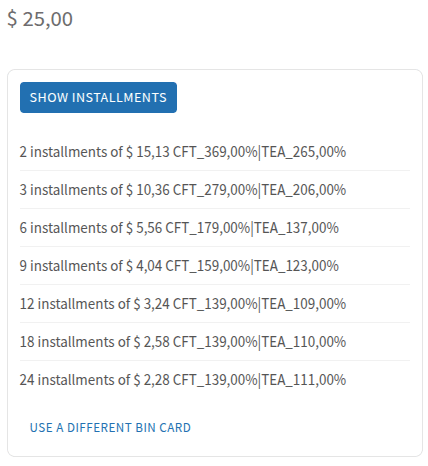
Mercado Pago Installment on product page
The first time, the buyer will be asked to enter the first 6 digits of their card only once.
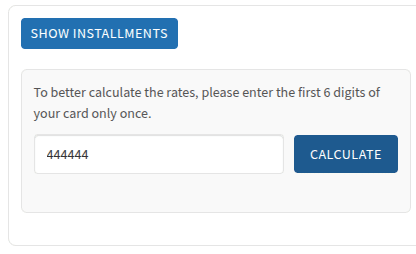
The installments will then be displayed in the format established throughout the website (product page and shop page). Additionally, the option to change the BIN is provided if the buyer requires it.